
A translation management system (TMS) is software that centralises everything involved in translating content: project assignment, file handling, linguistic assets like translation memories and glossaries, quality checks, and integrations with the tools your team already uses. If you’re managing multilingual content across more than a couple of languages and your current workflow involves emailing files back and forth, a TMS will save you a measurable amount of time and money.
In this article:
- What a TMS actually does
- TMS vs CAT tool vs machine translation
- Core features to look for in a TMS
- How AI is changing the TMS landscape in 2026
- The 10 best translation management systems in 2026
- Decision framework: matching a TMS to your team
- Questions to ask before choosing a TMS
- Common mistakes when choosing a TMS
- Frequently asked questions about translation management systems
What a TMS actually does
A translation management system sits at the centre of your translation workflow. It replaces the scattered approach of managing projects through email chains, spreadsheets, and shared folders with a single platform where everyone involved in the process (project managers, translators, reviewers, developers, and clients) can collaborate.
The best way to think about it: a TMS is to translation teams what a CRM is to sales teams. It doesn’t do the selling (or translating) itself, but it organises, tracks, and accelerates every step of the process. If your company is expanding into new markets and needs to manage localisation across multiple languages, a TMS becomes the operational backbone of that effort. A TMS is the infrastructure that makes serving global customers at scale possible.
What a TMS handles
- Project management: assigning tasks, setting deadlines, tracking progress across languages and content types
- Linguistic asset management: storing and leveraging translation memories, termbases, and glossaries
- Workflow automation: routing content through translation, review, and approval stages without manual intervention
- File handling: supporting dozens of file formats (JSON, XML, HTML, XLIFF, DOCX, etc.) and preserving formatting
- Integrations: connecting to your CMS, code repository, design tools, and communication platforms via APIs
- Quality assurance: automated checks for consistency, terminology compliance, and formatting errors
- Reporting: real-time dashboards for cost tracking, turnaround times, and translator performance
TMS vs CAT tool vs machine translation
These three terms get conflated constantly, and the confusion is understandable because modern TMS platforms often bundle all three. But they serve different purposes. Here’s how they relate to each other, and where CAT tools and machine translation fit into the picture.
| TMS | CAT tool | Machine translation | |
|---|---|---|---|
| Primary purpose | Manage the entire translation operation | Help translators work faster and more consistently | Auto-translate text using algorithms or AI |
| Main users | Project managers, ops leads, devs, translators | Translators and editors | Anyone needing a quick draft or gist |
| Translation memory | Yes (manages TMs centrally across projects) | Yes (stores and retrieves segment matches) | No (though some engines can be customised) |
| Project management | Yes (core function) | Limited or none | No |
| Workflow automation | Yes (routing, assignments, notifications) | No | No |
| Integrations | Extensive (CMS, repos, Slack, Figma, etc.) | Limited (file-based) | API-based |
| Reporting | Yes (costs, progress, quality metrics) | Basic (word counts, matches) | Minimal |
| Best for | Teams managing multilingual content at scale | Individual translators or small teams | High-volume, lower-stakes content |
| Examples | Phrase, Smartling, Crowdin, Lokalise | Trados Studio, MemoQ desktop, OmegaT | DeepL, Google Translate, ChatGPT |
In practice, the lines are blurring. Most TMS platforms now include built-in CAT functionality and integrate with one or more MT engines. MemoQ straddles both categories (it started as a CAT tool and grew into a TMS). Smartcat began as a CAT tool and has evolved into a full TMS with a built-in translator marketplace. The trend in 2026 is toward all-in-one platforms, though some teams still prefer specialist tools for each function.
Core features to look for in a TMS
Not every TMS includes every feature listed below, and not every team needs all of them. But these are the capabilities that tend to make the biggest difference in day-to-day operations.
Translation memory (TM)
The single most cost-saving feature in any TMS. A translation memory stores every segment your team translates, paired with its source. When similar or identical text appears in future projects, the TM suggests previously approved translations. This cuts costs (fewer words to translate from scratch), speeds up delivery, and enforces consistency across all your content.
One feature to check specifically: concordance search. This lets translators search the entire TM for a word or phrase, rather than waiting for segment-level matches. It’s essential for finding how a term was previously translated in context. Most platforms support it, but the depth varies: MemoQ’s concordance is the most powerful (wildcards, case-sensitive, source and target search), while Transifex restricts it to Growth and Enterprise Plus plans.
A subtlety worth understanding: some vendors bundle multiple products under a single brand, and TM features can differ between them. Phrase is the clearest example. Phrase TMS (the translation project management and CAT tool side) has full concordance search with wildcard support. Phrase Strings (the developer-focused product for localising software UI strings, app copy, and game text via code repositories) does not have concordance search, cannot import TMX files directly, and uses a simpler, project-based TM with less metadata. The two products share a brand and can sync data between them via the Job Sync connector, but they are architecturally different tools aimed at different users. If concordance search matters to your workflow (and for most professional translators, it does), make sure you’re evaluating the right product within each vendor’s suite.
Industry estimates suggest that reworking translations accounts for roughly 15% of localisation budgets. A well-maintained TM directly reduces that number.
Terminology management and glossaries
Termbases and glossaries store approved terms, acronyms, brand names, and product-specific language. They’re particularly important for companies in regulated industries (fintech, medtech, legal) where using the wrong term can have compliance implications. Glossaries keep your brand voice consistent across all languages and all translators.
Workflow automation
A good TMS lets you design multi-step workflows (e.g. translate → review → proofread → approve) and automate the transitions between steps. When a translator finishes a file, it automatically moves to the reviewer. No emails, no status spreadsheets. For teams running continuous localisation alongside agile development sprints, this is essential.
Integrations and APIs
This is where TMS platforms differentiate themselves most. The integrations that matter depend on your stack, but common ones include GitHub/GitLab/Bitbucket for code repositories, Figma and Sketch for design files, WordPress and other CMS platforms, Slack for notifications, and Jira for project tracking. Strong API documentation is a good signal that the platform takes developer workflows seriously.
Quality assurance automation
QA checks catch issues that human reviewers might miss under deadline pressure: inconsistent terminology, missing translations, formatting errors, number mismatches, and tag corruption. Most TMS platforms run these checks automatically or on demand. Some platforms in 2026 now use AI-powered quality scoring that evaluates tone, brand consistency, and fluency in addition to mechanical accuracy.
Reporting and analytics
Centralised reporting lets you track costs per language, per project, and per translator. It also surfaces patterns: which language pairs take longest, which projects generate the most rework, where bottlenecks form. This data is what turns translation from a cost centre into something you can plan and budget around with confidence.
How AI is changing the TMS landscape in 2026
The Nimdzi 2025 Language Technology Radar Report noted that TMS vendors are actively rebranding themselves as “multilingual content platforms” or “AI-powered localisation platforms.” The marketing has run ahead of reality in some cases, but the underlying shift is real. Here’s what’s actually changing.
AI-powered pre-translation
Most TMS platforms now offer AI translation as a first-pass option, sitting alongside traditional MT engines like DeepL and Google Translate. The difference with newer AI-based approaches (powered by large language models) is that they can factor in context from your TM, glossary, and style guide when generating translations. Crowdin, for example, now connects to OpenAI, Anthropic, and Azure AI models alongside traditional MT engines. Phrase, Smartling, and Smartcat have all launched their own proprietary AI translation layers.
The practical implication for teams: AI pre-translation is reducing the volume of work that reaches human translators, which means human translators increasingly focus on review, editing, and the culturally sensitive work that AI handles poorly. This is the post-edited machine translation (PEMT) model, but with better starting quality than traditional MT typically provided.
Agentic AI and workflow orchestration
A handful of platforms are experimenting with AI that doesn’t just translate but also decides how content should be routed. For instance: analysing incoming content to determine whether it needs human translation, AI-only translation, or PEMT based on content type, risk level, and target audience. Smartcat’s Autopilot feature and Smartling’s automation pipelines are early examples.
Quality estimation and AI scoring
Transifex recently introduced its Transifex Quality Index (TQI), an AI tool that scores translation quality in real time. XTM Cloud has added generative AI features for quality evaluation. These tools don’t replace human review for high-stakes content, but they help teams prioritise where human attention is most needed.
What AI hasn’t changed (yet)
Despite the marketing, the core architecture of TMS platforms hasn’t fundamentally shifted. As the Nimdzi report put it: “At the core, these platforms still revolve around the same fundamental units: translation segments, translation memories, and workflows.” The TMS hasn’t been replaced by AI. It’s absorbed AI as a feature layer on top of the same structural foundations. A few experimental platforms (like Vaga.ai) are exploring LLM-native architectures that bypass segment-based translation entirely, but these are early-stage. For now, the segment-based TMS remains the backbone of enterprise localisation.
The 10 best translation management systems in 2026
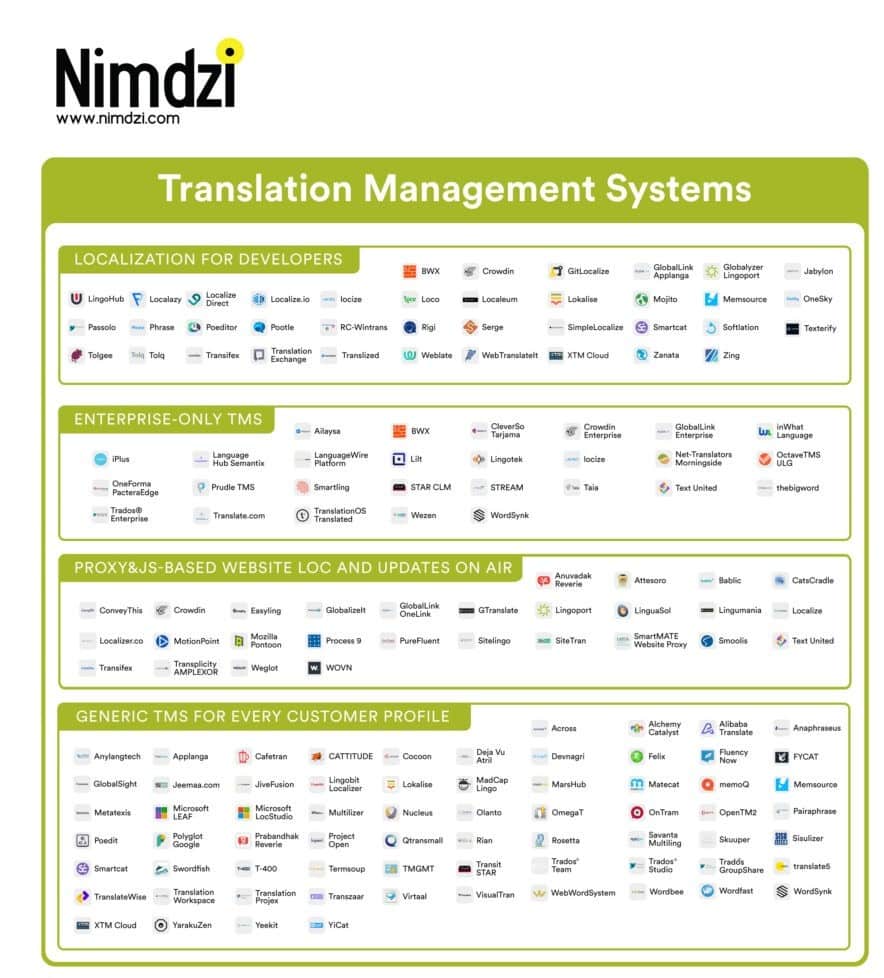
We’ve kept the same platforms from our original list (they remain the market leaders) but updated each review to reflect changes since 2023, including mergers, new AI features, pricing model shifts, and user feedback from G2, Capterra, and direct industry reports.
| Platform | Best for | AI features | Pricing model | Deployment | Free plan |
|---|---|---|---|---|---|
| Phrase | Enterprise; multi-team localisation | Phrase Language AI, custom MT | Flat rate (not per-user) | Cloud | Trial only |
| Smartcat | LSPs; freelancer management | Adaptive AI, Autopilot, marketplace | Freemium + per-word AI | Cloud (browser only) | Yes |
| Lokalise | Dev teams; software localisation | MT integrations, AI suggestions | Per-key or per-user | Cloud | Trial only |
| MemoQ | Translation agencies; power users | MT hub, AI-assisted QA | Per-user licence | Desktop + cloud + on-prem | Trial only |
| XTM Cloud | Enterprise; regulated industries | GenAI features, AI quality scoring | Custom pricing | Cloud + single tenancy | Demo only |
| Transifex | Agile teams; continuous localisation | Transifex AI, TQI quality index | Per hosted word | Cloud | Trial only |
| Smartling | Enterprise; marketing + product | AI translation, GDN proxy | Custom (demo required) | Cloud | No |
| Crowdin | Open-source; community translation | OpenAI/Anthropic/Azure AI, MT engines | Per-word or per-string | Cloud | Yes (open-source) |
| Plunet | LSPs; business management | Limited (pre-translation, pricing calc) | Custom pricing | Desktop + cloud | No |
| Wordbee | Mid-market; agency + enterprise | MT integrations | Custom pricing | Cloud | No |
Pricing at a glance
Pricing in this space is notoriously hard to compare because vendors use different models (per-user, per-word, per-key, flat subscription, or custom quotes). The table below reflects publicly available starting prices in USD as of early 2026. Actual costs will vary based on volume, team size, and negotiation.
| Platform | Starting price (in USD) | Pricing basis | What the starting plan includes | Cost driver to watch |
|---|---|---|---|---|
| Phrase | ~$27/mo (freelancer); ~$209/mo (team) | Flat subscription with usage caps | Full platform access; unlimited TMS seats on team plans and above | Usage-based volume caps; overage top-ups add cost at scale |
| Smartcat | Free (limited); ~$100/mo (paid) | Freemium + per-word for AI translation | Unlimited seats; marketplace access; AI translation charged per word | AI translation word costs compound across languages |
| Lokalise | ~$300/mo (5 users) | Per-user + per-key bundles | Core TMS features; integrations with GitHub, Figma, CMS | Add-on bundles (AI, OTA) escalate quickly; strict 90-day cancellation notice |
| MemoQ | ~$44/licence (translator pro) | Per-user licence | Desktop CAT tool; cloud TMS is separate and priced higher | Server/TMS licences are significantly more expensive than translator seats |
| XTM Cloud | Custom (demo required) | Custom quote | Single-tenancy cloud; 60+ integrations; enterprise security | Scope-dependent; suited to regulated industries with larger budgets |
| Transifex | ~$70/mo (up to 50k hosted words) | Per hosted word | Unlimited projects; CI/CD integrations; Transifex AI | Hosted word count multiplied by number of target languages |
| Smartling | ~$500/mo (estimated) | Custom quote (word volume + features) | TMS + GDN proxy for websites; multiple AI translation tiers | GDN and connector add-ons; implementation can cost $5k–$20k |
| Crowdin | Free (open-source); $59/mo (pro) | Per hosted word / per string | Crowdin AI included; unlimited translators; 14-day trial | Enterprise tier ($450+/mo) needed for SSO, SCIM, SLA support |
| Plunet | Custom (demo required) | Custom quote | Business management for LSPs; vendor + invoice management | Complex setup; training costs; workflow template maintenance |
| Wordbee | Custom (demo required) | Custom quote | Mid-market TMS with invoicing and cost-control features | Higher-end pricing for the mid-market; legacy TM migration issues |
A few patterns worth noting. Phrase’s shift to a flat subscription with full platform access is unusual and favourable for teams that plan to scale. Crowdin’s inclusion of AI at no extra cost sets it apart from competitors that charge per-word for AI translation. Smartling and XTM Cloud don’t publish prices, which typically signals enterprise-level pricing. Transifex’s per-hosted-word model can surprise teams that underestimate how word counts multiply across languages (10,000 source words into 16 languages = 160,000 hosted words).
1. Phrase (formerly Memsource)
Phrase merged with Memsource in September 2022, and the combined Phrase Localization Suite has become one of the most complete offerings in the market. It bundles two distinct products: Phrase TMS (translation project management with industry-grade CAT tools, aimed at translators and project managers handling documents, websites, and marketing content) and Phrase Strings (a developer-focused tool for localising software UI strings, mobile apps, and game copy via code repositories like GitHub and GitLab). The suite also includes Phrase Language AI (custom machine translation), Phrase Orchestrator (workflow automation), and Phrase Analytics. The flat-rate pricing model is notable: instead of charging per user, Phrase charges a subscription that covers unlimited TMS seats, which is a significant advantage for larger teams.
An important distinction for translators: Phrase TMS has full concordance search (Ctrl+K) with wildcard support and the ability to search across all TMs in an organisation. Phrase Strings does not have concordance search, cannot import TMX files directly, and uses a simpler, project-based TM with less metadata. Data can flow between the two via the Job Sync connector, but they are different tools with different capabilities. If your localisation workflow involves both marketing content and software strings, you’ll likely use both products within the suite, and the translator experience will differ between them.
What users consistently praise: the intuitive interface inherited from Memsource, fast setup, robust translation memory and termbase tools, seamless switching between web and desktop editors, and solid API documentation. The Memsource-era features (document segmentation, analysis reports, user prioritisation) carried over intact.
As translators, what we like about Phrase TMS: the clean, distraction-free editor, concordance search across TMs (Ctrl+K) – not in Phrase Strings, though, just in the regular Phrase editor –, reliable fuzzy matching, and the ability to switch between the web editor and desktop without losing progress. Phrase Strings is a different experience: functional for reviewing and editing software strings, but missing the linguistic depth that translators expect from a professional CAT environment.
As localisation managers, what we like: unlimited user seats on team plans (no per-translator cost anxiety), detailed analysis reports before projects start, the flat subscription model that makes budgeting predictable, and the fact that the suite covers both document-based translation (TMS) and developer-driven string localisation (Strings) in a single subscription.
Where it falls short: some users report occasional lags with very large projects, and a few integrations feel underdeveloped compared to developer-first platforms like Lokalise.
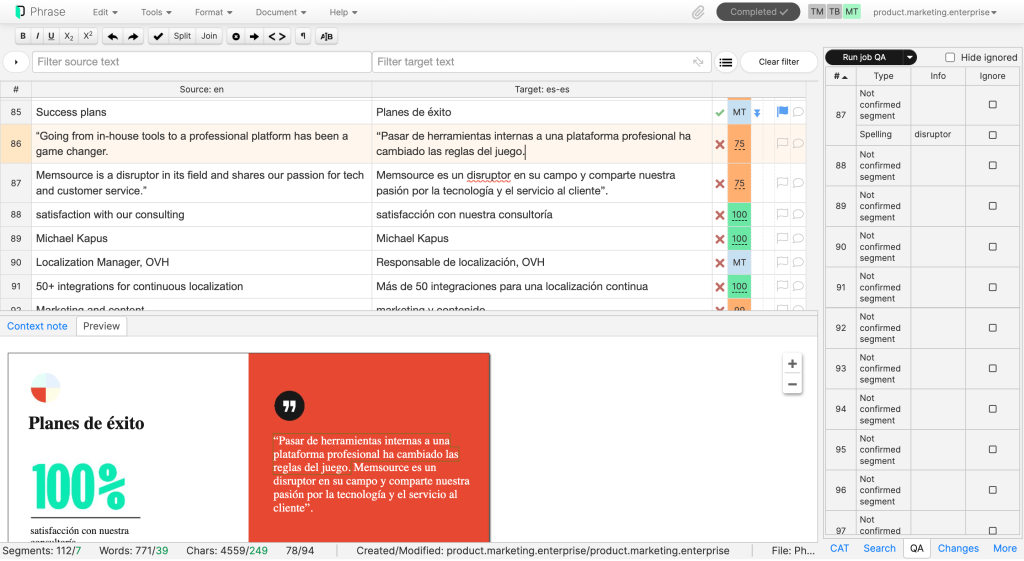
2. Smartcat
Smartcat has evolved from a CAT tool into a full TMS with an integrated marketplace of over 500,000 language professionals. The Autopilot feature assigns tasks to AI or human translators automatically based on content type, which reduces project management overhead. The AI translation layer learns from your edits and improves over time.
The free plan is generous enough for small teams getting started. The unlimited-seat model means you can invite as many colleagues as needed without additional licence costs. The main drawback remains that Smartcat is entirely browser-based: no offline access, and some users find it less robust than desktop applications for heavy-duty translation work.
As translators, what we like: the global concordance search across all TMs (even those not assigned to the current project), the integrated marketplace for finding work, and the adaptive AI that learns from your edits over time.
As localisation managers, what we like: the Autopilot feature that auto-assigns tasks to AI or human translators based on content type, the unlimited seats with no per-user cost, and the built-in marketplace for sourcing linguists without leaving the platform.
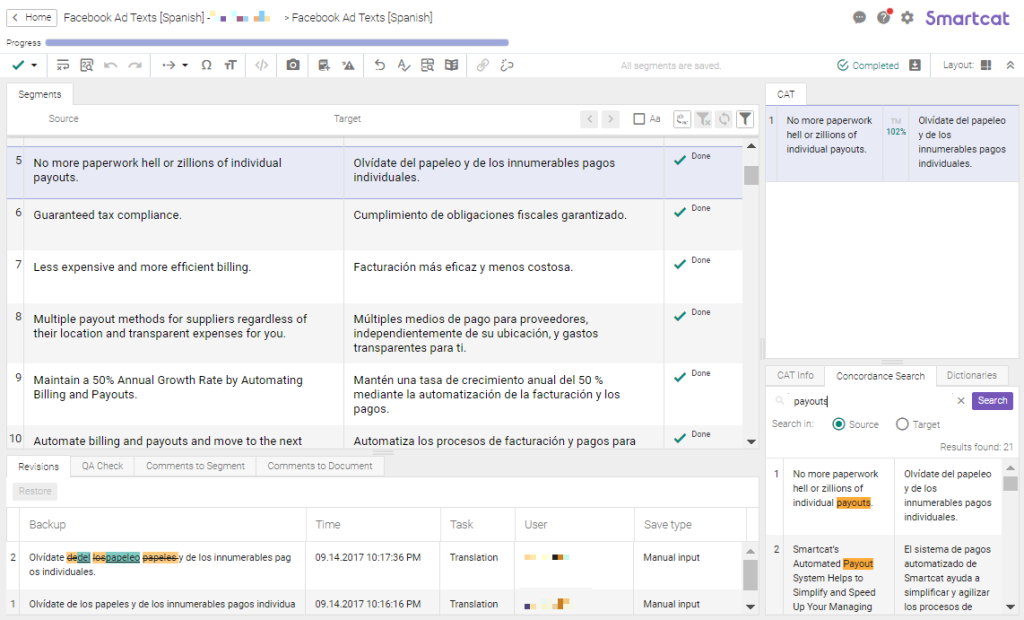
3. Lokalise
Lokalise has carved out its niche as the developer-friendly TMS. SDKs for iOS and Android, integrations with GitHub, Figma, and major CMS platforms, and a focus on continuous localisation workflows make it a natural fit for software teams running agile sprints. The batch-edit tools and automatic language detection on file import are nice quality-of-life features.
The downsides haven’t changed much: initial setup remains more complex than competitors, the translation memory lacks context-based matching, some file formats aren’t supported, and reports could be more readable. But for teams whose primary need is localising apps and software interfaces, Lokalise is hard to beat.
As translators, what we like: the concordance search within TMs (Ctrl+G), the clean side-by-side editor, and the automatic translation suggestions that speed up repetitive UI strings.
As localisation managers, what we like: the tight integrations with GitHub, Figma, and CMS platforms that keep localisation in step with dev sprints, the batch-edit tools, and the ability to set up continuous localisation workflows that run without constant manual intervention.
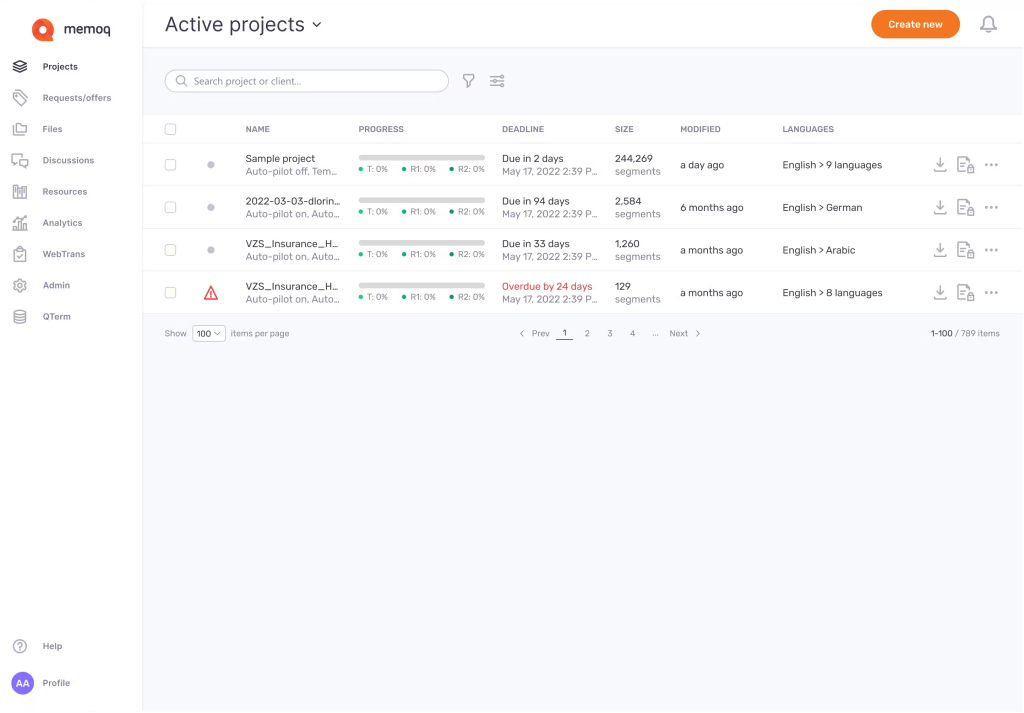
4. MemoQ
MemoQ occupies a unique space as both a high-end CAT tool and a TMS. The desktop application (Windows-only) remains one of the most powerful translation editors available, and the cloud-based TMS layer adds project management, vendor management, and team collaboration on top. On-premises deployment is available for organisations with strict data sovereignty requirements.
The platform supports an extensive range of file formats and offers features like voice commands and text dictation for translators. The pricing is higher than most competitors, and the learning curve is steeper. MemoQ works best for translation agencies and in-house teams with technically skilled linguists who can take full advantage of its depth.
As translators, what we like: the most powerful concordance search of any platform (wildcards, case-sensitive, numeric equivalence, source and target search), the desktop editor’s speed and responsiveness, the LiveDocs feature for reference documents, and the depth of QA checks.
As localisation managers, what we like: on-premises deployment for data sovereignty, the granular vendor management features, and the ability to manage complex multilingual projects with role-based access across linguists, reviewers, and project managers.
5. XTM Cloud
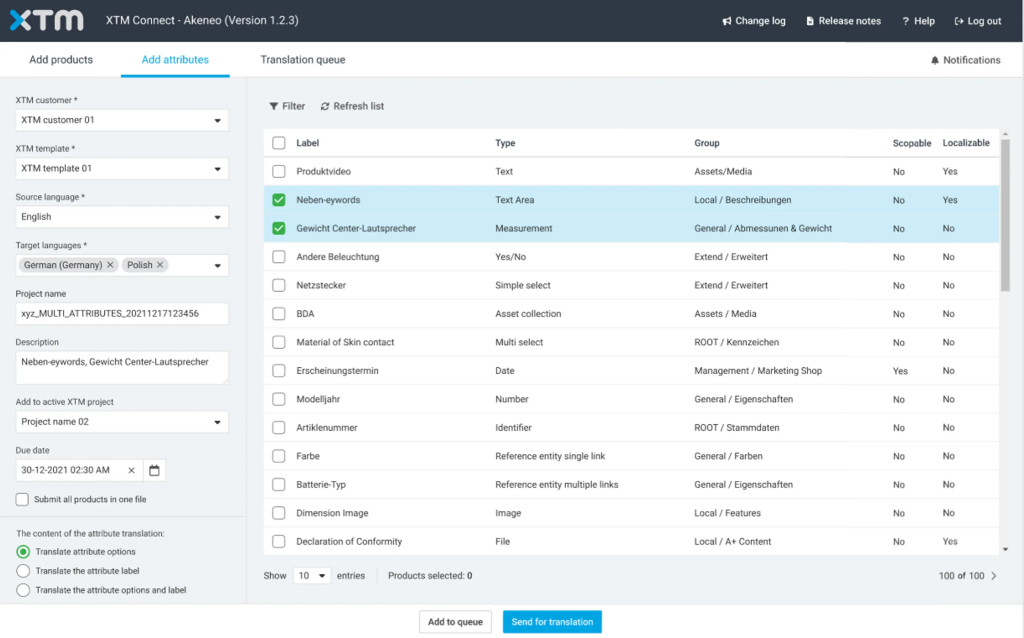
XTM Cloud positions itself firmly in the enterprise space, with a focus on security (single-tenancy cloud servers), compliance, and regulated industries. The platform has added generative AI features for speeding up translation and quality evaluation, and it integrates with over 60 external tools.
Users praise the customisable settings (per client, per project), the error classification system, and the finance management features for creating quotes from preset price plans. The interface is more complex than some competitors, and offline access is limited. But for enterprise teams handling sensitive content in life sciences, manufacturing, or financial services, XTM’s security stance is a significant differentiator.
As translators, what we like: the error classification and QA scoring system that gives clear feedback, the concordance search, and the ability to customise the editor layout per project.
As localisation managers, what we like: the single-tenancy cloud for compliance-sensitive clients, the built-in quoting and finance management tools, and the granular per-client, per-project settings that let you run very different workflows within the same platform.
6. Transifex
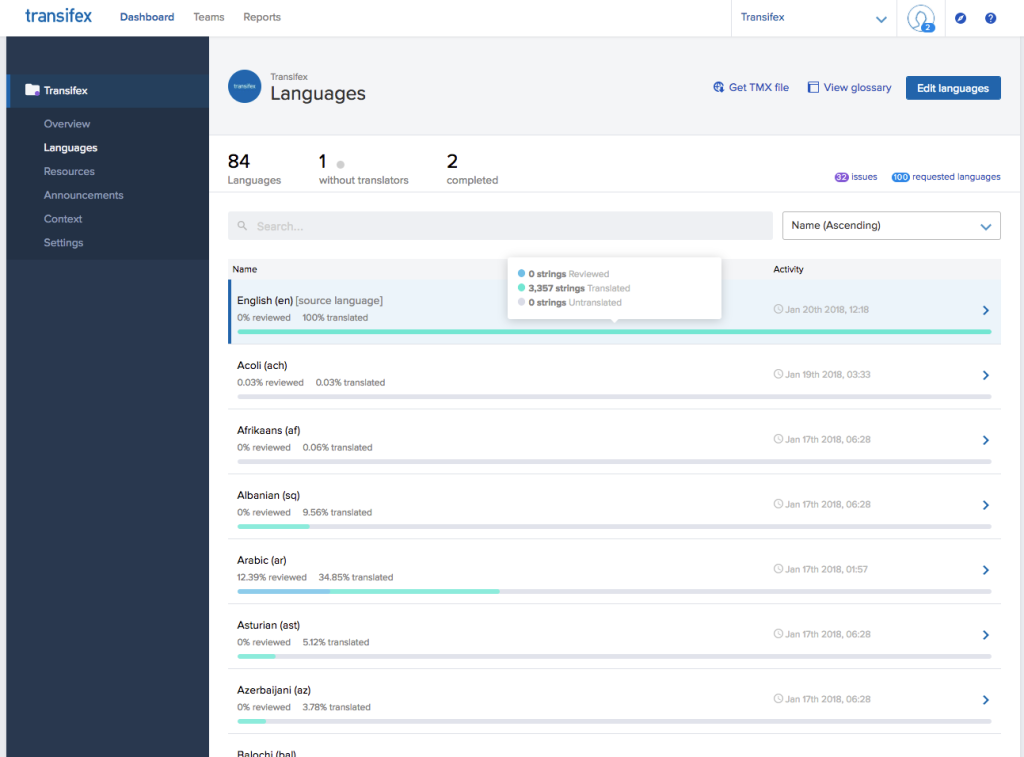
Transifex is purpose-built for agile software teams that treat localisation as part of the development pipeline. The platform integrates directly into CI/CD workflows via two-way Git sync, webhooks, and a comprehensive CLI. Transifex Native allows developers to push and pull localised content dynamically without managing files manually. Transifex Live overlays translations onto websites in real time without redeployment. These features make Transifex one of the strongest choices for continuous localisation.
The AI layer (Transifex AI) learns your brand voice and generates translations with context. The recently launched Transifex Quality Index (TQI) automates quality scoring. The main drawback is the per-hosted-word pricing model, which can escalate quickly when you’re translating into many languages. Keyboard shortcuts and some workflow automation features remain less polished than competitors.
As translators, what we like: the side-by-side source and translation view, the concordance search (available on Growth and Enterprise Plus plans), and the TM suggestions with match percentages that make leveraging previous work intuitive.
As localisation managers, what we like: the two-way Git sync that makes localisation part of the CI/CD pipeline rather than a separate process, Transifex Native for dynamic content delivery without file management, and the TQI for automated quality oversight at scale.
7. Smartling
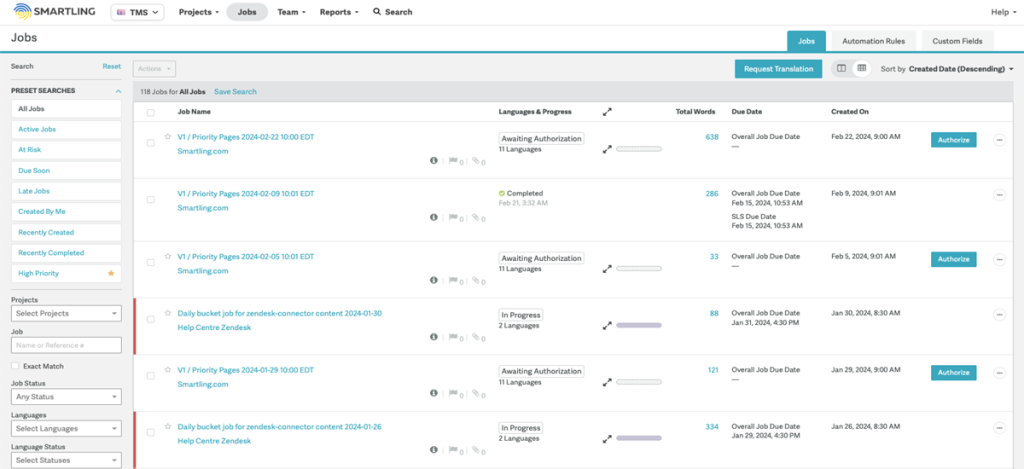
Smartling is built for enterprise scale. The Global Delivery Network (GDN), a website proxy that automatically detects new content and routes it for translation, is its standout feature. For large brands managing multilingual websites, the GDN significantly reduces the manual effort of keeping translations in sync with a constantly changing source site.
The platform offers multiple AI translation tiers, allowing teams to balance cost, speed, and quality based on content type. The Transcreation tool adapts tone and meaning rather than just words. On the downside, Smartling doesn’t display pricing publicly (demo required), some users find the project management interface less intuitive than competitors, and adding team members to projects still involves manual steps.
As translators, what we like: the visual context that shows exactly where translated strings appear on a live website, the style guide integration that keeps brand voice consistent, and the CAT tool’s glossary and TM features.
As localisation managers, what we like: the GDN proxy that automatically detects and routes new website content for translation, the multiple AI tiers for matching quality level to content type, and the enterprise-grade reporting.
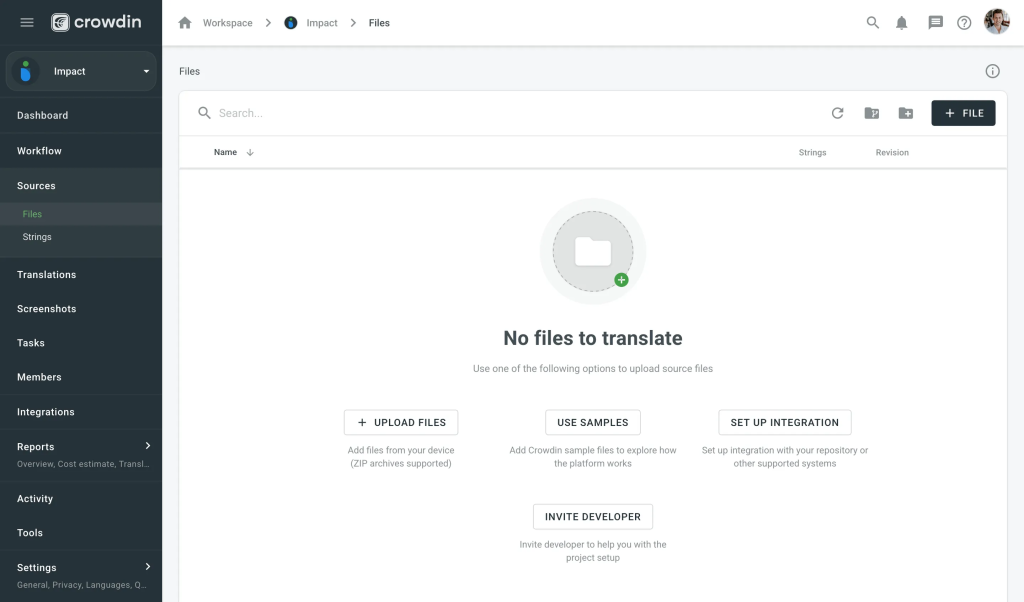
8. Crowdin
Crowdin has strong roots in open-source and community translation, supporting major projects like Fedora and Django. It now supports over 40 file formats and integrates with design and development tools (GitHub, Figma, Slack). The AI capabilities are broad: Crowdin connects to OpenAI, Anthropic, and Azure AI alongside traditional MT engines, and uses automatic context harvesting (screenshots, comments, glossaries) to improve translation suggestions.
The free plan for open-source projects is a strong draw. Crowdin’s weaknesses include a reportedly cluttered UI, slow implementation of user-requested features, and limited ability to comment on projects without entering the editor. But for teams that want flexibility in combining AI, human, and community translation, Crowdin is versatile.
As translators, what we like: the TM concordance search, the ability to work with screenshots for visual context, and the flexibility to choose between multiple AI engines (OpenAI, Anthropic, Azure) alongside traditional TM suggestions.
As localisation managers, what we like: the free tier for open-source, AI included at no extra cost across all plans, the unlimited translator seats, and the community translation features that let you crowdsource localisation for supported languages.
9. Plunet
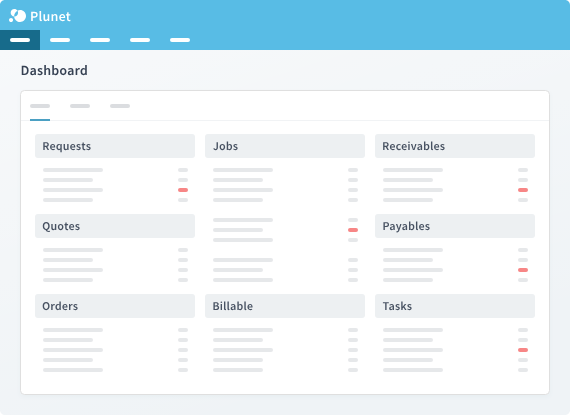
Plunet is less a translation tool and more a business management system for translation companies. It excels at vendor management, invoicing, financial reporting, and workflow orchestration. The platform integrates with external CAT tools and TMS platforms, sitting above them as an operations layer.
Setup is complex, and basic functions can be unintuitive despite comprehensive training. Updating workflow templates and pricing structures is time-consuming. But for language service providers managing hundreds of projects, vendors, and client relationships, Plunet’s operational depth is unmatched. Available for both Mac and Windows, with cloud deployment.
As translators, what we like: honestly, translators don’t interact with Plunet directly. It sits above the CAT tool layer. But the structured job assignment and clear project briefs that come through Plunet’s workflows are a step up from chaotic email chains.
As localisation managers, what we like: the vendor management database, automated invoicing, the financial reporting that gives real visibility into project profitability, and the workflow orchestration that connects to external CAT tools and TMS platforms.
10. Wordbee
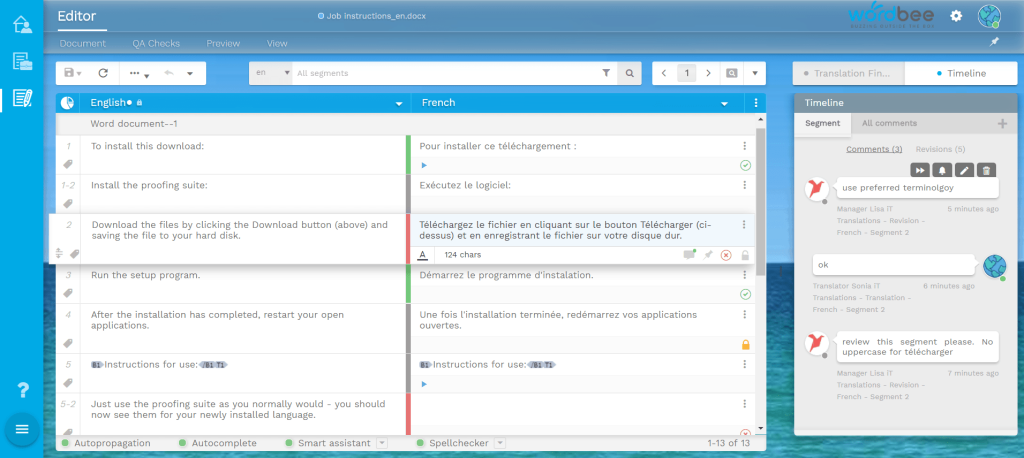
Wordbee targets the mid-market: large enough to need enterprise features, pragmatic enough to want a single platform. Users praise its intuitiveness and fast customer support. The invoicing and cost-control features are strong, and the ability for linguists to invite clients directly into the review process is a nice collaboration feature.
The UI feels dated compared to newer competitors, and the MT capabilities are weaker than platforms with dedicated AI layers. Legacy TMs can cause issues with fuzzy matching due to tag differences. The pricing is on the higher end for a mid-market tool. But for agencies and enterprise teams that value a balance of features without the complexity of platforms like MemoQ or Plunet, Wordbee fills a useful gap.
As translators, what we like: the intuitive editor that doesn’t require extensive training, the ability to invite clients directly into the review process, and the concordance search and TM features that work reliably if not spectacularly.
As localisation managers, what we like: the built-in invoicing and cost-control features, the balance of TMS and business management in one platform (without Plunet’s complexity), and the responsive customer support that users consistently praise.
Decision framework: matching a TMS to your team
Instead of asking “which is the best TMS?” (there isn’t one), ask what your team actually needs. The table below maps common team profiles to platforms that tend to work well for them.
| Your situation | What matters most | Consider first | Also look at |
|---|---|---|---|
| SaaS company localising an app | CI/CD integration, continuous localisation, developer tools | Lokalise, Transifex, Crowdin | Phrase Strings |
| Enterprise with 10+ languages | Security, compliance, scalability, vendor management | XTM Cloud, Smartling, Phrase | MemoQ TMS |
| Translation agency or LSP | Vendor management, invoicing, financial reporting | Plunet, MemoQ | Wordbee, XTM (with XTRF) |
| Small team, limited budget | Free or affordable plan, ease of use | Smartcat, Crowdin | Lokalise (trial) |
| Marketing team localising website content | CMS integration, in-context preview, speed | Smartling (GDN), Phrase | Transifex Live |
| Open-source project needing community translation | Free plan, community features, file format support | Crowdin | Transifex |
Questions to ask before choosing a TMS
Before you start comparing platforms, sit down with your team and work through these questions. The answers will narrow down your shortlist significantly.
- How straightforward is the setup? Some platforms (Smartcat, Crowdin) let you start translating within minutes. Others (Plunet, MemoQ) require days of configuration and team training. Match the onboarding effort to your team’s patience and technical ability.
- Does it integrate with your existing stack? Check specific integrations: your CMS, your code repository, your project management tool, your design tools. If an integration is missing, check the API documentation and assess whether building a custom connection is realistic.
- What’s the pricing model? Per-user, per-word, per-key, flat rate, or custom? Per-user pricing punishes growing teams. Per-word pricing can escalate unpredictably when adding new languages. Flat-rate models (Phrase) favour scalability.
- How does it handle security? Cloud-only, single-tenancy, or on-premises? Does it meet your compliance requirements (SOC 2, ISO 27001, GDPR)? Regulated industries need to scrutinise this carefully.
- What kind of customer support is offered? 24/7? Email only? Dedicated account manager? How responsive is the support team in practice? (User reviews on G2 and Capterra are your best source here.)
- Can you trial it with real content? Free plans and trial periods are useful, but only if you test with your actual files, your actual workflows, and your actual team. A demo with dummy content won’t surface the issues that matter.
Common mistakes when choosing a TMS
After working with dozens of companies navigating TMS selection, these are the patterns we see repeatedly.
- Choosing based on feature count alone. The platform with 60+ integrations isn’t useful if you only need four. Focus on depth in the features that matter to your workflow, not breadth you’ll never use.
- Ignoring the translator experience. Project managers choose the TMS, but translators are the ones spending hours in the editor every day. A platform that’s awkward for translators will generate lower-quality output, regardless of how powerful the management features are.
- Underestimating migration effort. Moving TMs, glossaries, workflows, and integrations from one platform to another is non-trivial. Factor migration costs and downtime into your decision, especially if you’re switching from a platform your team has used for years.
- Not planning for growth. A TMS that works for 5 languages may buckle at 15. Per-word pricing that seems cheap at 50,000 words becomes expensive at 500,000. Think about where you’ll be in two years, not just where you are now.
- Treating TMS selection as a purely technical decision. The right TMS depends on your content types, your team structure, your budget, your compliance requirements, and your growth trajectory. It’s a business decision that happens to involve technology.
Frequently asked questions about translation management systems
What is a translation management system? A translation management system (TMS) is software that centralises the entire translation workflow: project assignment, file handling, translation memories, termbases, quality checks, and integrations with the tools developers, designers, and content teams already use. The analogy that works well is a CRM for translation teams: it doesn’t do the translating, but it organises, tracks, and accelerates every step of the process.
What is the difference between a TMS and a CAT tool? A CAT (computer-assisted translation) tool is what the translator works in directly: it segments the text, surfaces translation memory matches, and manages glossaries at the string level. A TMS sits above this and manages the broader workflow: assigning projects, routing content through translation, review, and approval stages, integrating with repositories and CMSs, and providing project managers and clients with visibility across all active work. Many TMS platforms have CAT functionality built in; others integrate with standalone CAT tools.
What are the main TMS options in 2026? The market leaders are Phrase (formerly Memsource), Crowdin, Lokalise, SDL Trados (now Trados Studio), memoQ, Smartling, and Transifex. Each occupies a slightly different niche: Phrase and Lokalise are popular with SaaS and tech teams for their developer integrations; Crowdin has a strong open-source community; Trados and memoQ have larger agency and enterprise user bases. There are over 160 TMS platforms in total, though the majority of enterprise volume flows through a small number of these.
Has AI fundamentally changed TMS platforms? It has added a feature layer rather than replaced the underlying architecture. As a Nimdzi industry report put it, the core of most platforms still revolves around the same units: translation segments, translation memories, and workflows. AI has improved machine translation quality, added automated quality estimation, and enabled features like terminology auto-suggestion, but the segment-based TMS structure remains the backbone of enterprise localisation. A small number of experimental platforms are exploring LLM-native architectures that bypass segment-based translation entirely, but these are still early stage.
When does a company genuinely need a TMS? When managing multilingual content across more than a couple of languages, and when the current workflow involves emailing files back and forth. A TMS saves measurable time and money at that point by eliminating manual handoff steps, enforcing consistency through translation memory, and giving everyone involved in the process (project managers, translators, reviewers, developers) visibility in one place. For a company translating into 10 or more languages and shipping product updates regularly, a TMS is essentially mandatory.
What should you check when evaluating a TMS? Integration capability with your existing CMS, code repository, and design tools matters most: if the TMS doesn’t connect to where your content lives, the workflow gains are much smaller. Translation memory and glossary management quality affects consistency. Reporting and project tracking visibility matters for project managers. And pricing structure (per-word, per-seat, or usage-based) affects the total cost of ownership depending on your volumes.
This guide is maintained by Crisol Translation Services. We’re a specialist team of marketing and SEO translators for the SaaS, hospitality, food, education, and wellness sectors. If you’re evaluating a TMS or need help with your localisation strategy, get in touch.

Author: Maria Scheibengraf
Maria Scheibengraf is an English-to-Spanish marketing and SEO translator specialised in software (SaaS, martech, fintech), and Operations Manager at Crisol Translation Services, which she co-founded in 2016. With a solid background in programming and marketing, Maria has an in-depth understanding of the technical intricacies involved in software programs, websites, and digital platforms. Maria is also the author of The SEO Translation Bible.


